










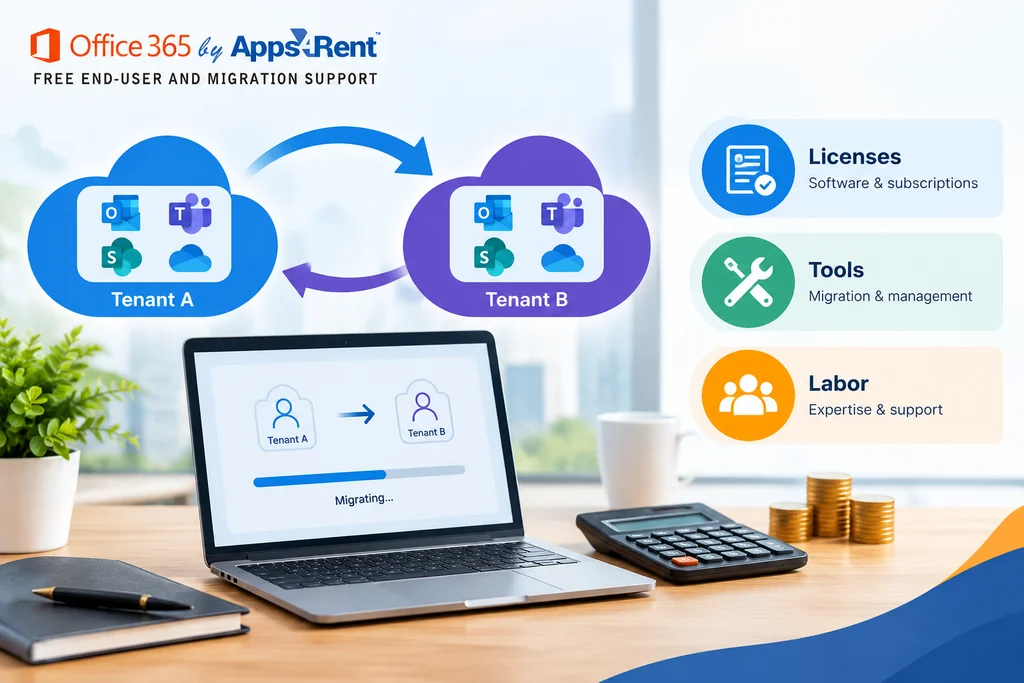
Tenant migration in the cloud can prove quite costly for businesses that have undergone mergers, acquisitions, reorganisation of their activities or consolidation of Microsoft 365. Even though moving users from one tenant to another in Microsoft 365 appears to be an easy process and involves merely moving emails and files, all expenses connected with the licensing, migration software, IT professionals’ labour force, security setup, testing, and post-migration support are incorporated into the overall cost.
Knowing the migration cost before starting migration is crucial for proper budget planning and prevention of extra charges. When it comes to migration of your small business or corporate tenants, you should estimate the total cost.
Well, what is the cost involved in tenant-to-tenant migration? There is no easy answer for this question since it depends on the number of users, data involved, level of complexity of your Microsoft 365 environment and the migration approach that you decide to use. This article sheds light on the cost involved.
What Is a Tenant-to-Tenant Migration?
The term Tenant to Tenant Migration means the movement of all users, data, applications and configurations from one Microsoft 365 tenant to another. A tenant here stands for a cloud-based environment of Microsoft that is unique to an individual organisation, having its own users, domains, policies and collaboration services.
An organisation can perform Office 365 tenant-to-tenant migration under conditions such as mergers & acquisitions, company divestitures, domain changes, IT transformation, and consolidation of existing Microsoft 365 environments.
Based on the need of the business, the project could include migration of:
- Exchange Online mailboxes, calendars, and contacts
- SharePoint Online sites and document libraries
- OneDrive for Business files
- Microsoft Teams conversations, files, and collaboration structures
- User accounts, groups, and selected permissions
- Email domains and associated configurations
- Security policies, applications, and identity settings
Not all components can simply be transferred between tenants. Some services will need to be rebuilt manually or configured differently. This is where costs could greatly differ from one project to another.
How Much Does a Tenant-to-Tenant Migration Cost?
A universal price cannot be determined for tenant-to-tenant migration. Costs depend on the size of the project, the tools used in the migration, the services required, and the labor costs.
The below cost estimates may be considered when planning an initial budget. These are planning ranges rather than fixed market prices or vendor quotations.
| Migration size | Illustrative total cost (USD) | Typical project scope |
| Small: 10–50 users | $2,000–$8,000 | Basic email, OneDrive, and limited SharePoint migration |
| Medium: 51–250 users | $8,000–$30,000 | Multiple workloads, testing, and more complex permissions |
| Large: 251–1,000 users | $30,000–$100,000+ | Larger datasets, Teams, security configurations, and staged migration |
| Enterprise: 1,000+ users | $100,000–$300,000+ | Complex environments, multiple locations, custom integrations, and extensive validation |
But, of course, it may prove to be less or more expensive than the cost above. The smaller company with complicated compliance architecture is going to pay more than the bigger company that works in a simple environment.
When preparing the budget for your implementation project, you should distinguish the cost of migration tools, services, and Microsoft 365 license. It will help to prevent duplicating the cost of the same item.
1. Microsoft 365 Licensing Costs
License costs are among the first cost considerations when moving from one tenant to another in terms of tenant-to-tenant migration. It needs to be known whether users require certain subscription packages and how their existing licenses will fit in the process of migration.
The license of Microsoft 365 is mostly attached to the tenant that issued the license. Therefore, the moving of data doesn’t automatically mean that subscriptions will also move and that licenses will be carried across as is.
Potential licensing expenses include:
- Microsoft 365 Business or Enterprise subscriptions
- Exchange Online licenses for users requiring email services
- SharePoint and OneDrive service entitlements
- Teams-related licensing, depending on the subscription and region
- Temporary license overlap during migration and coexistence
- Additional security or compliance subscriptions where required
For instance, if there are 100 users migrated to an organization, the cost of the destination subscriptions will depend on the chosen plans, pricing, billing periods, and if different levels of service are required for those users.
The total licensing budget will be determined by multiplying the monthly cost of subscription by the number of users and by the number of months. The overlap will be added if necessary.
Also review the source tenant’s contracts before making changes. Cancellation terms, annual commitments, and renewal dates can influence the overall cost.
2. Migration Tool Costs
Using specialized migration tools can make the process of o365 tenant to tenant migration easier since such tools will automate the process, perform bulk migrations, and allow monitoring the migration process.
Based on the product, the cost might depend on the number of users, mailboxes, workloads, data quantity, or the period of time of the migration process.
Common tool-related expenses include:
- Per-user migration licenses
- Mailbox and archive migration features
- SharePoint and OneDrive data transfer
- Microsoft Teams migration capabilities
- Reporting, scheduling, and retry functionality
- Premium support or advanced migration options
A simple task such as an email migration and personal files might need less functionality from a tool than migrations which are more complicated including SharePoint permission, Teams, and shared resource migration.
In case you are making comparisons between different products to choose one, be sure to find out exactly what workloads can be migrated by the selected tool and whether the license covers pre-migration assessment, incremental synchronization, reporting, and post-migration validation.
Don’t select a tool only because it is the most inexpensive one.
3. IT Labor and Professional Services
In most cases, labor represents one of the largest expenses associated with a tenant-to-tenant migration process. Despite the use of various automation tools, qualified administrators should be involved in planning the process, preparing both tenants, validating data, and resolving problems. During a Microsoft 365 migration, experienced IT professionals help ensure a smooth transition, minimize downtime, and reduce the risk of costly errors.
Typical labor efforts include:
Discovery and evaluation: User analysis, mailbox analysis, storage space, permission, application, domain and other dependencies.
Migration planning: Development of timelines, migration waves, communication plan, rollback plan, and other business prioritization.
Destination Tenant preparation: Destination account configuration, permission, authentication, licensing, and other security settings.
Data migration: Migration of supported workloads and troubleshooting any problems.
Testing and validation: Validation of mailbox content, file access, permissions, calendar access, and collaboration processes.
Post-migration: User issues resolution, validation of services, and retirement of old configuration if required.
Depending on who will conduct these activities, labor costs may be either related to internal IT staff, external consultant or managed migration provider.
For budgeting purposes, you should estimate hours required for each type of labor effort and multiply these figures by hourly rate.
4. Data Volume and Migration Complexity
Migration time depends on the volume of data to be migrated, which in turn impacts costs of labor and equipment. Nevertheless, the volume of data represents just one component of the problem.
Migration of several hundred gigabytes of neatly organized e-mails and files can sometimes prove easier than migrating a lesser amount of data that has intricate permissions and integrations.
Factors that can increase complexity include:
- Large mailboxes and extensive email archives
- Numerous SharePoint sites and unique permissions
- Complex Teams structures and collaboration dependencies
- External sharing arrangements and guest accounts
- Custom applications and third-party integrations
- Retention policies, legal holds, and regulatory requirements
- Multiple domains or identity synchronization dependencies
Certain content and environments might not easily transfer and require special handling. Proper assessment will reveal those problems in advance.
5. Downtime, Training, and Post-Migration Support
The cost of a office 365 tenant to tenant migration does not end with the technical part of the process alone. The poorly planned migration process may affect your email, files, meetings, and other important activities.
The organisation must have budget set aside for communication, training documents, help desk support, and possible reduced productivity.
While the staged migration will aid in overcoming those issues, the maintenance of both environments may add some extra time and possibly incur additional licensing expenses.
The verification process after migration is as critical as the migration itself. It is necessary to verify the access to data, permissions, and business process operation.
Set aside some budget to address possible unexpected issues, especially if you deal with large environments or migrations of several Microsoft 365 workloads. About 10%–20% of the planning reserve should be allocated for such projects whose scope is not certain initially.
How to Create a Realistic Migration Budget
A structured budgeting process helps organisations identify expenses before committing to a migration strategy.
Follow these steps:
- Count users and assess data. Document user accounts, mailbox sizes, SharePoint sites, OneDrive storage, and Teams requirements.
- Review existing licenses. Identify destination subscriptions, contractual obligations, and potential periods of license overlap.
- Compare migration tools. Request pricing based on your real needs of usage and number of users.
- Make estimates for labor hours. Take into consideration assessment, setup, migration, testing, project management, and support.
- Determine other costs. Take into account training, compliance check, change in domains, integration, and coexistence.
- Add a contingency factor. Increase or decrease the factor depending on the complexity of the project and quality of your discovery.
- Make sure that your estimate is correct. Check it with the IT, finance, security, and business teams.
A simple formula is:
Total migration cost = Licensing + Migration tools + Labour + Additional services + Contingency
Use this formula to compare internal migration, external consulting, and managed service options on a consistent basis.
How to Reduce Tenant-to-Tenant Migration Costs
Cost reduction should be aimed at reducing unnecessary work without affecting security or data integrity.
Make sure you have carried out an assessment: look for unused accounts, duplicates, unsupported configuration before migration.
Select products by needs, not by feature list: you will waste money on those features which you do not need.
- Organise your migration batches wisely: give priority to important users and applications, but do not create much trouble.
- Automate routine operations: use proper software tools for automation of supported actions.
- Carry out a pilot migration: detect the problems with configuration and compatibility before migration of the whole organisation.
- Start coordinating licences early: check subscriptions and obligations under contracts not to pay twice.
- Verify before decommissioning: make sure that all important data and services are present in the destination tenant.
The cheapest migration may not necessarily be the migration which costs the least initially. A properly planned migration will allow you to avoid losing data and doing any extra costly work later.
Frequently Asked Questions
1. What is the average price of a tenant-to-tenant migration?
The price depends on the amount of users, workloads, data, and technical complexity. A simple project may cost several thousand dollars, while larger migrations can cost over $100,000. The analysis of the migration project is required to make an accurate estimation.
2. Is Microsoft 365 licensing included into migration price?
It might be. The company may require new destination licenses and in some cases additional subscriptions. It is important to review the company’s current licensing agreements and conditions before starting the migration process.
3. Do migration tools have to be used for any Office 365 migration?
Not necessarily. Some migration projects can be performed using only Microsoft features and manually. However, third party tools may provide better performance and be helpful during complex migrations with several workloads and large numbers of users.
4. What is the duration of a tenant-to-tenant migration?
A simple migration may last from a few days to a couple of weeks, while a more complex one may last several weeks or even months.
5. How can businesses avoid unexpected migration expenses?
Start with a comprehensive assessment, document the project scope, confirm tool capabilities, estimate labor accurately, and reserve funds for unforeseen issues. Testing and clear migration procedures also help reduce the risk of costly rework.
Conclusion
Tenant-to-tenant migration needs proper budgeting since licensing fees, migration tools, services, complexity of data and user support all play a role in defining the ultimate investment. With identification of these costs in advance, a proper budget will be set, proper migration method will be chosen and unnecessary disruptions will be avoided.
As you are planning your office 365 tenant to tenant migration or even Microsoft 365 migration, what should come first before choosing a tool or deciding a deadline for the project is to analyze your current environment.If you need advice on planning, executing and controlling costs for your migrations, you may use O365CloudExperts who are specialists when it comes to Microsoft 365 migrations requirements.
Disclaimer
The information provided in this article is for general informational purposes only. Migration costs, licensing fees, and service requirements may vary depending on your Microsoft 365 environment, business needs, and service providers. Always verify current pricing, licensing terms, and technical requirements with Microsoft or a qualified migration professional before making decisions. This article does not constitute professional IT, financial, or legal advice.